Voices
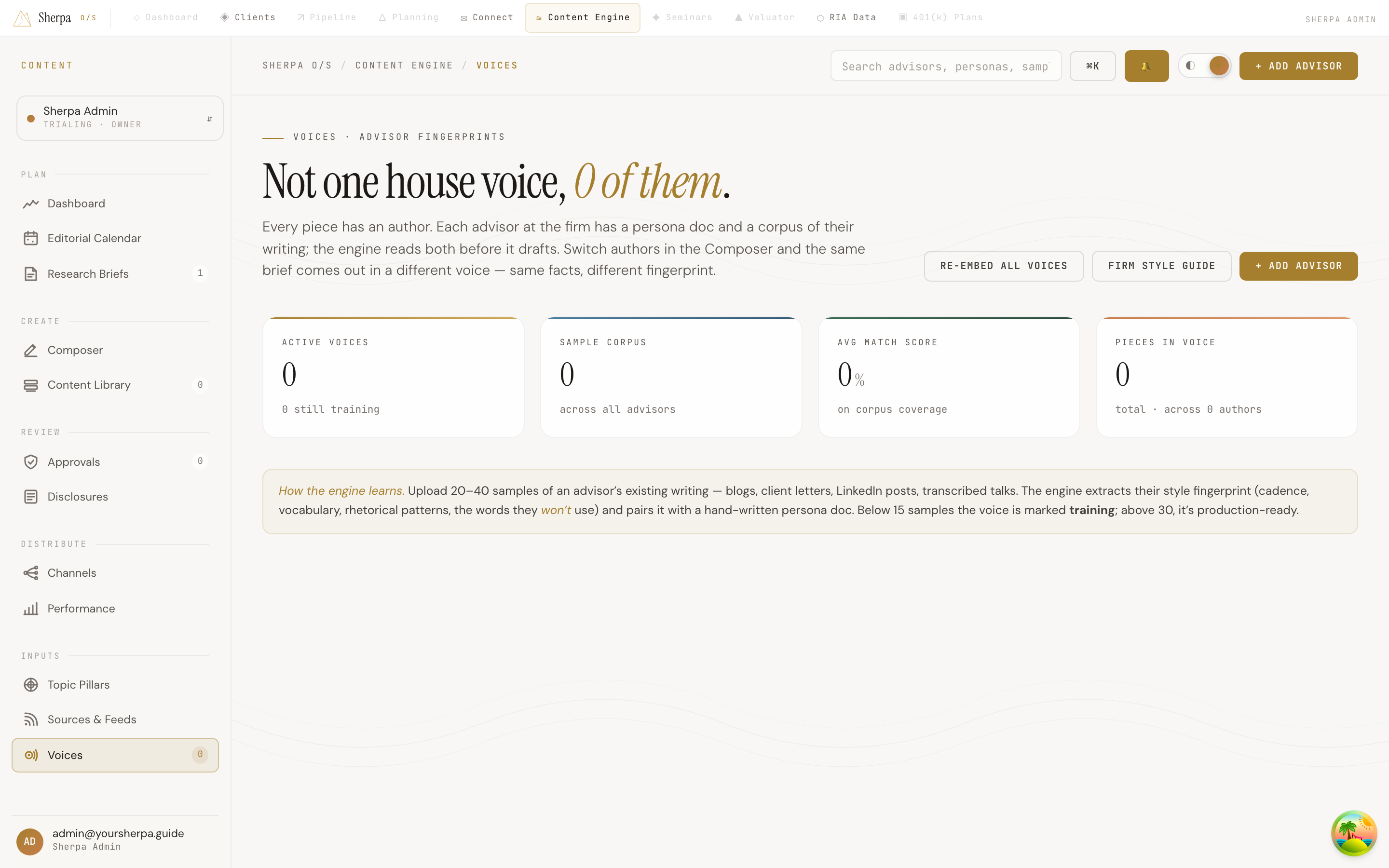
The Voices screen is the place where each advisor at your firm gets their own writing fingerprint. Instead of one generic house style, every piece you generate in the Composer can be authored in a specific advisor’s voice — same brief, different person, distinctly different result.
Getting there
Section titled “Getting there”In the left navigation, open Content Engine, then choose Inputs → Voices.
What you can do
Section titled “What you can do”Understand the dashboard at a glance
Section titled “Understand the dashboard at a glance”Four stats run across the top of the page:
- Active voices — advisors whose voice is marked Production and ready to use.
- Sample corpus — the total number of writing samples uploaded across all advisors.
- Avg match score — average corpus coverage percentage across all voices.
- Pieces in voice — the total number of content pieces attributed to all authors.
Read a voice card
Section titled “Read a voice card”Each advisor appears as a card showing:
- Name and role — who the voice belongs to.
- Status chip — either PRODUCTION (green) or TRAINING (amber). A voice moves to Production once it has enough samples; below 15 samples it stays in Training.
- Tone — a short phrase describing the advisor’s writing style.
- Style fingerprint — three visual bars for average sentence length (words), reading level (grade), and corpus coverage (%). Higher corpus coverage means the engine has a richer picture of that person’s writing.
- Samples, Active pieces, Pillars, Last updated — quick stats at the bottom of the card.
Click any card to open that advisor’s full voice detail page.
Add an advisor
Section titled “Add an advisor”Click + Add advisor in the top-right corner to create a new voice profile.
How the engine learns
Section titled “How the engine learns”Upload 20–40 samples of an advisor’s existing writing — blog posts, client letters, LinkedIn content, transcribed talks. The engine extracts style patterns (cadence, vocabulary, rhetorical habits) and pairs them with a persona document. The UI notes that below 15 samples a voice is marked Training; above 30 it is considered production-ready.
Search across voices
Section titled “Search across voices”Use the search bar at the top of the page to filter the grid by advisor name, email, or persona label.
Firm style guide
Section titled “Firm style guide”The Firm style guide button in the top-right area opens firm-level style settings that apply across all voices.