Billing
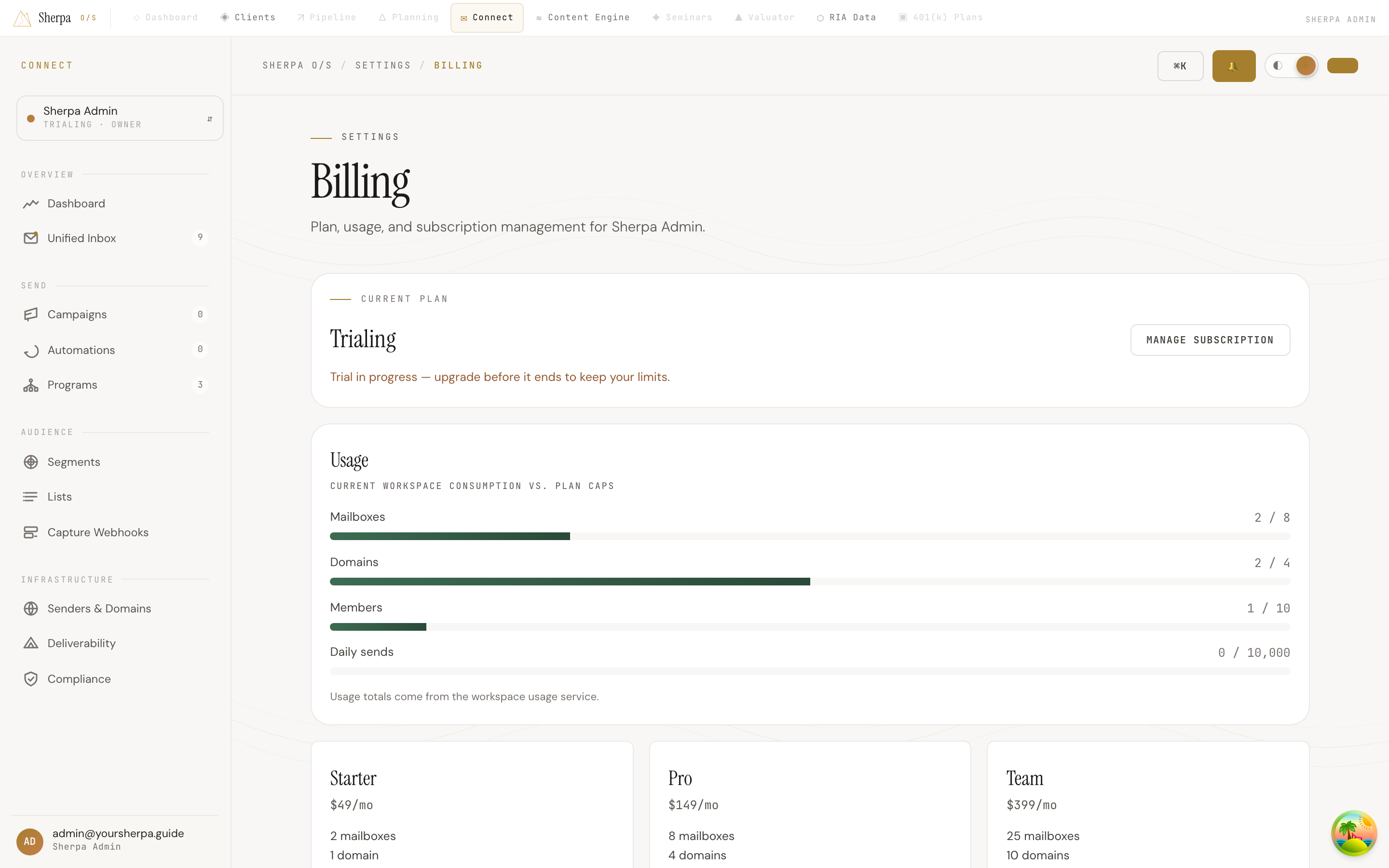
The Billing screen gives you a full picture of your current plan, how much of each limit your workspace has consumed, and the options available if you want to change tiers. If you manage billing for your workspace, everything you need is in one place.
Getting there
Section titled “Getting there”In the left-hand navigation, go to Settings, then select Billing.
What you can do
Section titled “What you can do”View your current plan
Section titled “View your current plan”At the top of the page you will see a Current plan panel that displays your active tier — Starter, Pro, or Team — alongside your workspace name. If your workspace is still in a trial period, a notice appears here reminding you to upgrade before the trial ends so your limits are preserved.
Manage your subscription
Section titled “Manage your subscription”If you have the billing:manage permission on the workspace, a Manage subscription button appears in the current plan panel. Clicking it opens the Stripe billing portal in the same tab, where you can update your payment method, view past invoices, or cancel your subscription. If you do not have that permission, contact a workspace admin.
Track usage against plan caps
Section titled “Track usage against plan caps”The Usage panel shows four progress bars, one for each resource your plan governs:
- Mailboxes — connected sending mailboxes
- Domains — sending domains configured in the workspace
- Members — seats on the workspace
- Daily sends — outbound emails sent in the current calendar day
Each bar shows your current consumption against the cap for your plan. The bar turns amber when you reach 80 percent of a limit and red when you hit 100 percent. If usage figures are temporarily unavailable, a notice appears below the bars.
Compare plans and upgrade
Section titled “Compare plans and upgrade”Below the usage panel, three plan cards lay out the tiers side by side:
| Plan | Price | Mailboxes | Domains | Members | Daily sends | Warmup |
|---|---|---|---|---|---|---|
| Starter | $49/mo | 2 | 1 | 3 | 1,000 | No |
| Pro | $149/mo | 8 | 4 | 10 | 10,000 | Yes |
| Team | $399/mo | 25 | 10 | Unlimited | 50,000 | Yes |
Your active tier shows a disabled Current plan button. To switch, click Upgrade to [Plan] on the desired card; you are redirected to Stripe to complete checkout and then returned here. Without billing permission, the cards show “Contact an admin to change plans” instead.