Research Briefs
Research Briefs are the starting point for every piece of content in Sherpa. Each brief captures a topic’s sources, your editorial angle, and compliance-safe claims before a single word of copy is written — so everything downstream stays grounded and consistent.
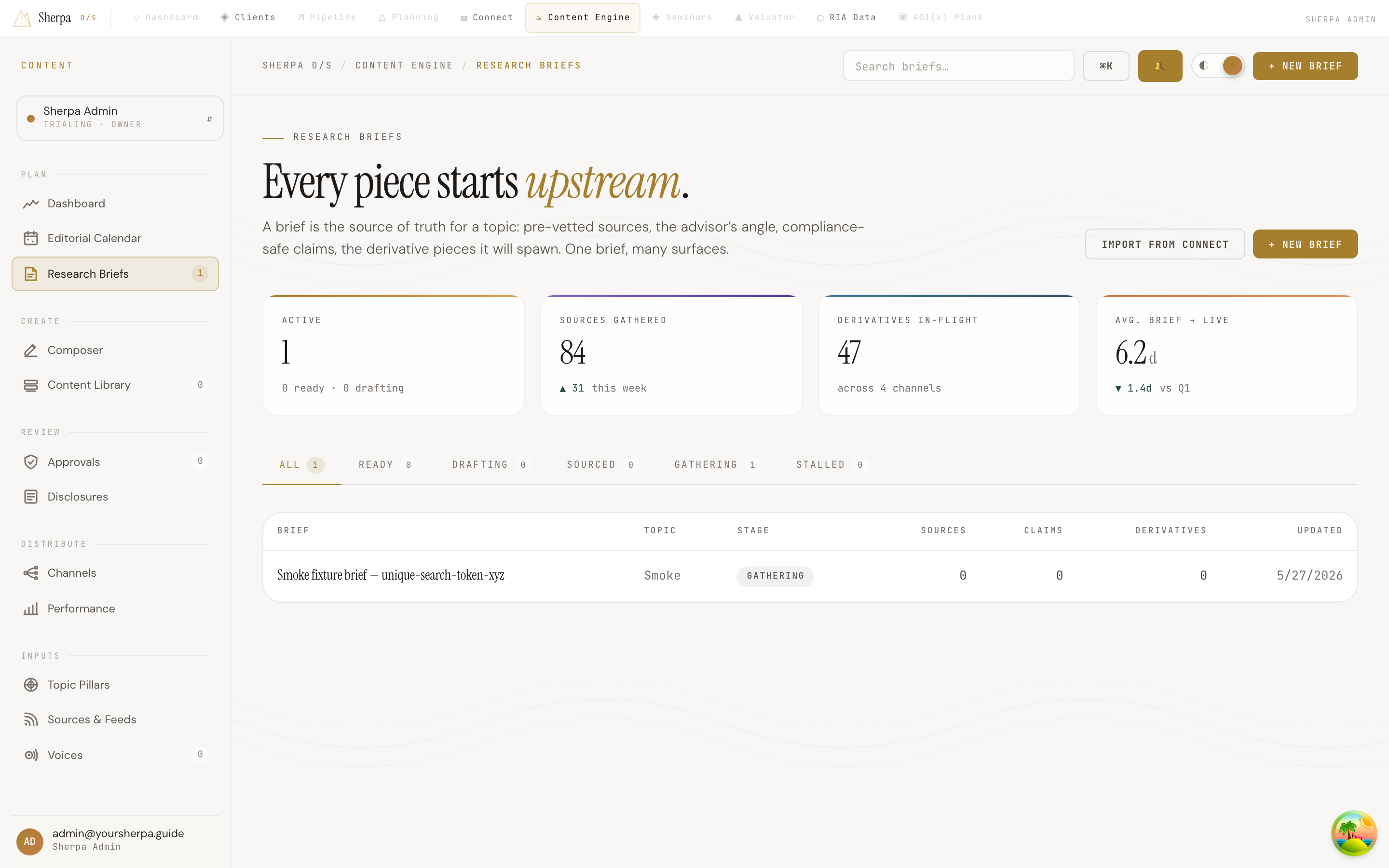
Getting there
Section titled “Getting there”In the app, navigate to Content Engine → Plan → Research Briefs. The list shows all your briefs across every stage of the research pipeline.
What you can do
Section titled “What you can do”Create a brief
Section titled “Create a brief”- Click + New brief in the top-right corner.
- Add a title, choose your topic, and set the editorial angle and tone.
- Attach sources and flag any claims that need compliance review before drafting starts.
You can also click Import from Connect to pull a topic directly from an email campaign brief you have already set up in the Connect module.
Track brief status
Section titled “Track brief status”Each brief moves through a defined pipeline. The status chip on every row tells you where a brief stands:
- Gathering — sources are still being collected.
- Sources reviewed — sources have been reviewed and are ready to cite.
- Ready to author — the brief is fully prepped; drafting can begin.
- Drafting — active writing is underway.
- Stalled — something is blocking progress.
- Archived — the brief is no longer active.
Use the tabs above the table — All, Ready, Drafting, Sourced, Gathering, Stalled — to filter the list to a specific stage. A count badge on each tab shows how many briefs are in that state.
Read the summary stats
Section titled “Read the summary stats”Four stat cards at the top of the page give you a quick pulse on the pipeline: active briefs, sources gathered this week, derivative pieces currently in-flight across channels, and your average time from brief creation to a piece going live.
Find a brief
Section titled “Find a brief”Use the global search bar at the top of the app to filter the table by brief title in real time. The table updates as you type.
Open a brief
Section titled “Open a brief”Click any row to open the full brief detail view, where you can edit sources, claims, and linked derivative pieces.
Table columns
Section titled “Table columns”The brief table shows: Brief (title and tone label), Topic, Stage, Sources, Claims, Derivatives, and Updated date.