Disclosures
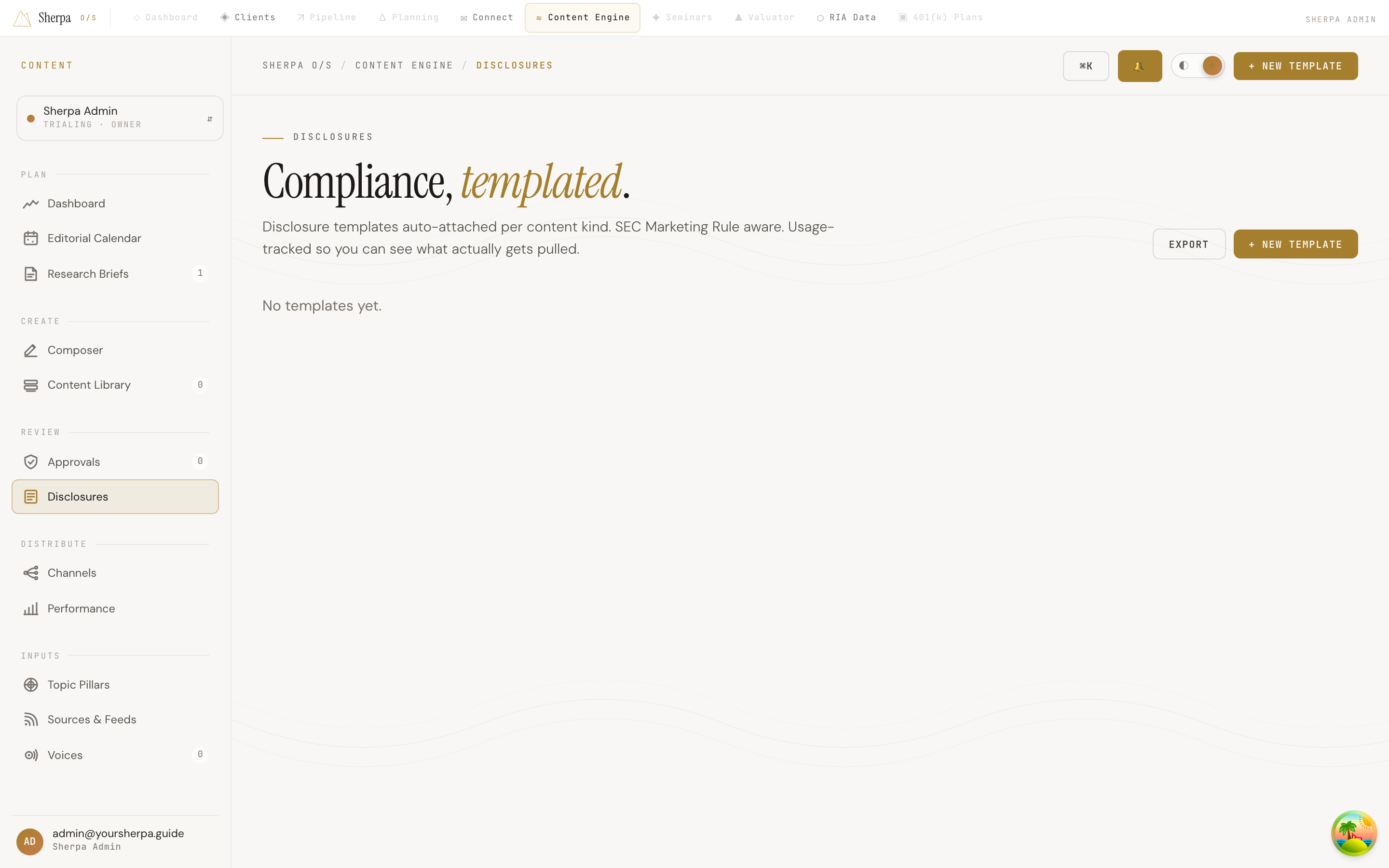
The Disclosures screen is your library of reusable compliance disclosure templates. Each template is designed to be auto-attached to a specific kind of content, keeping your practice SEC Marketing Rule aware without manually appending legal language every time you publish.
Getting there
Section titled “Getting there”In the app, navigate to Content Engine → Review → Disclosures.
What you can do
Section titled “What you can do”Browse your templates
Section titled “Browse your templates”Your disclosure templates appear as cards in a grid. Each card shows:
- Title — the name you gave the template.
- Applies to — the content kind this disclosure is attached to (for example, a particular channel or content category).
- Body — the full disclosure text.
- Usage count — how many times this template has been pulled into published content, so you can see which disclosures are actually in use.
If no templates exist yet, the grid displays “No templates yet.”
Create a new template
Section titled “Create a new template”- Click + New template in the top-right corner.
- Fill in the title, the content kind it applies to, and the disclosure body text.
- Save the template. It will appear in the grid and become available to attach to matching content.
Edit an existing template
Section titled “Edit an existing template”On any card, click Edit → to open the template and make changes. Updates take effect for future content; previously published pieces are not retroactively altered.
Export your templates
Section titled “Export your templates”Click Export to download your disclosure library. This is useful for compliance record-keeping or sharing templates with your compliance consultant.